推荐稳定且高性价比的图片 API
通过五款 FLAQ AI 图片 API,将免费图片体验升级为可靠的生产应用。比较适合图片生成、编辑、大批量任务和商业创意工作流的稳定高性价比模型。
GPT Image 2 API
提示词遵循能力强,可生成清晰易读的图片文字,支持灵活的质量控制,并为生产工作流提供可靠的生成与编辑能力。
查看 APINano Banana Pro API
由 Gemini 驱动,具备出色的语义理解、高保真输出,以及灵活的文生图和图片编辑能力,适合要求较高的应用。
查看 APISeedream 5.0 Pro API
专业级文生图模型,擅长复杂场景构图,支持灵活的宽高比,并能生成精致的商业视觉效果。
查看 APIQwen Image 2.0 API
高性价比的阿里巴巴图片模型,支持多语言提示词理解、灵活的分辨率控制和可扩展的图片生成工作流。
查看 APIZ Image API
经济实惠的托管式文生图服务,适合产品视觉、营销素材、社交内容和大批量创意自动化。
查看 APIHailuo AI Image Generator 文生图示例
看看 Hailuo AI Image Generator 如何将文字想法转化为可用视觉,从快速概念草稿到用于创作与内容工作流的细节成图。
快速图片生成

Create a clean 1:1 automotive design specification board on a light gray studio background. Feature a highly detailed 1980s Volvo 240 widebody show car, JUMDOO EDITION, in warm beige satin paint with satin black accents. The car should have a boxy Volvo 240 silhouette, very low air-suspension stance, extra-wide track width, riveted wide fender flares, deep black front splitter with near-ground clearance, black side skirts, black lower cladding, black deep-dish multi-spoke wheels, stretched low-profile tires, black grille with Volvo diagonal slash, one inner front headlight covered by an X-pattern insert for an asymmetric look, shaved clean body trim, dual center exhaust, and visible racing bucket seats. Add small JUMDOO branding on the front plate area, side skirt, and rear panel. Arrange six studio render views in a 3x2 grid: front 3/4, front, side profile, rear, rear close view, and rear 3/4. Use crisp realistic 3D product-render lighting, soft shadows, black sans-serif typography, thin gray divider lines, and minimal Swiss-style layout. Include a top-left title: VOLVO 240 WIDEBODY, subheadline: JUMDOO EDITION. Add small side panels for material swatches, colorway, branding locations, wheels and fitment, and notable details.

Create a high-end minimalist Keynote-style presentation cover slide with the aesthetic of Apple's industrial design. Use a 16:9 widescreen layout. The background should have a dark matte black on the upper half and a light concrete gray platform occupying one quarter of the bottom of the screen. Place a large, realistic floating rectangular panel in the center foreground on the right side. The panel should resemble a thin black glass device or a polished obsidian platform with mirror reflection, chamfered chrome metal edges, and precise industrial finish. The panel should be suspended above the light surface and cast a soft elongated shadow below it. Add a tall vertical gray metal wall or pillar on the rightmost edge for composition. Adopt extremely simple high-end artistic guidance, leaving a lot of negative space, using film studio lighting, subtle gradients, and a clear contrast between black and silver materials. On the left side, set a clean white sans-serif font and maintain clear hierarchy: a row of tiny titles " {argument name="system label" default="Apple-inspired presentation system"} ", a row of very large bold titles " {argument name="headline text" default="Clarity At Scale"} ", and a row of medium-sized subheadings " {argument name="subtitle text" default="The strongest slides behave like products." } ". Below it, include 3 numbered principles in a vertical list with dotted lines and fine spacing: "01 | {argument name="principle 1" default="One focal object"}", "02 | Binary light / dark rhythm", and "03 | Blue only for signal". Add a short thin horizontal line above the list and a tiny blue emphasis line below it. Draw a very thin horizontal guide line running through most of the slides near the top and label the page number "01" in the upper right corner. Repeat the small title "Apple-inspired presentation system" on the light-colored surface at the bottom left. The overall appearance: luxurious technology presentation, professional product launch slides, ultra-clean Swiss grid layout, restrained single-color palette (with a subtle blue accent), and realistic rendering effects integrated into the presentation design.

Create a character growth chart based on this image. [Current Character Information] - Name: {argument name="name" default="Brankide"} - Age: {argument name="age" default="5492 years old"} - Height: {argument name="height" default="207cm"} - Occupation: {argument name="job" default="Elven Battle Commander"} - Personality: {argument name="personality" default="Cold"} Mark the height scale at the edge. Create a natural growth process, dividing it chronologically into 5 years old, early adolescence, late adolescence, twenties, and current age. Display the full body image and clearly show the height differences.
Hailuo AI Image Generator 文生图功能
Hailuo AI Image Generator 会理解你的提示词、风格说明、场景细节与创意方向,并在线生成清晰的 AI 图片。无需设计基础或复杂设置。
智能文本解析与视觉生成
工具会读取你的主体、场景设定、氛围、风格、动作与细节,并将文本转化为符合你意图的视觉结果。
多模型支持生成
支持面向实际用途的提示词生成,覆盖插画、概念艺术、写实场景、产品视觉与社交帖子等多种风格。
即时生成,免费体验
输入文本提示词并点击生成按钮,无需注册、无需排队等待、无需复杂设置,几秒出图。
可编辑且隐私保护
下载成品图、生成更多变体,或优化提示词再次尝试;同时保持流程简单并注重隐私保护。
Hailuo AI Image Generator 文生图应用场景
Hailuo AI Image Generator 适用于数字艺术、电商素材、社交帖子、品牌视觉与教育材料。需要快速将文字变成概念图、草稿或可发布视觉时,都能高效完成。
数字艺术与概念设计
艺术家与设计师可通过简单文字描述快速绘制插画、概念图、氛围图与视觉研究素材。
电商与广告素材制作
营销与电商团队可将产品描述或活动创意转化为视觉概念、宣传图与可用于投放的草稿。
社交媒体与内容运营
社媒团队可制作发帖图、封面、主题插画与活动视觉,让内容在拥挤的信息流中更突出。
教育与演示支持
教师、演讲者与创作者可将课程想法或抽象概念转化为视觉辅助材料,让表达更清晰。
如何使用 Hailuo AI Image Generator 文生图生成器
在 Hailuo AI Image Generator 的简单文生图流程中描述想法、生成图片,并持续优化结果。
输入你的提示词
写下你想看到的内容,包括主体、场景、风格、光线、颜色或氛围。
点击生成
如可选,请先选择输出比例,然后点击 Generate,让 AI 将你的提示词转化为图片。
下载或生成更多
保存成品图,调整提示词,或基于同一想法生成更多版本。
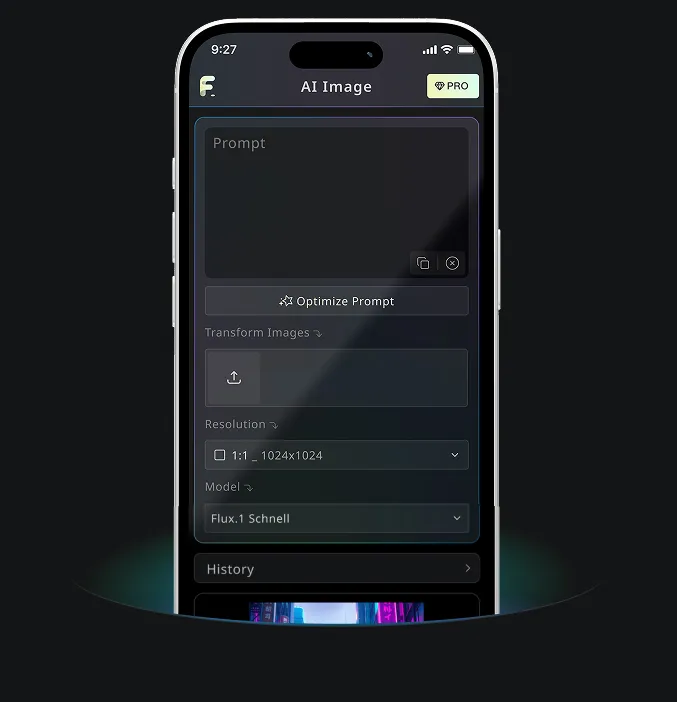
Hailuo AI Image Generator App:GPT Image 2 与 AI 图片创作
使用 Hailuo AI Image Generator 在线免费体验 GPT Image 2 生成 AI 图片,也可以通过 Hailuo AI Image Generator 工具在桌面端或移动端继续你的视觉创作流程。