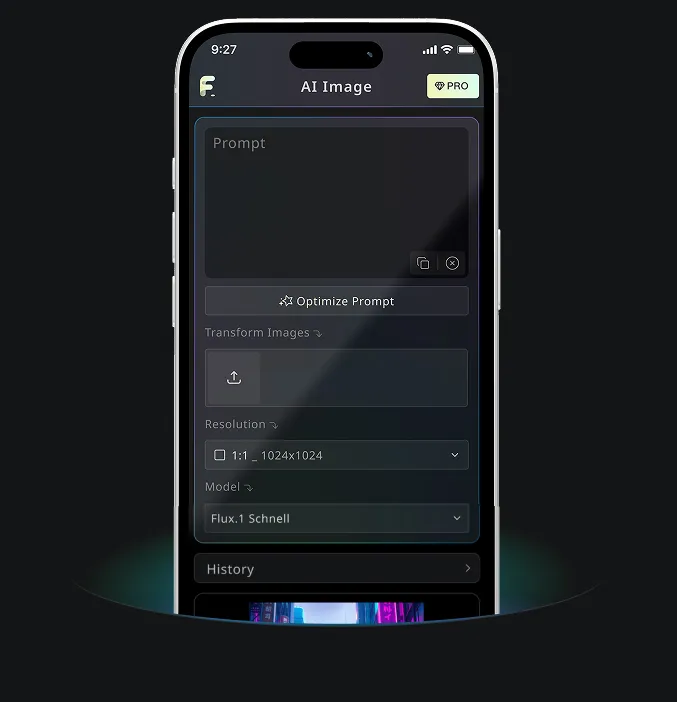
Hailuo AI Image Generator 무료 텍스트 이미지 생성기
더 나은 화질의 이미지 생성 무료 체험
전문 웹사이트를 통한 더 빠르고, 더 고품질, 광고 없는 이미지 생성 경험을 제공합니다
안정적이고 가성비 좋은 이미지 API 추천
5가지 FLAQ AI 이미지 API로 무료 이미지 실험을 안정적인 프로덕션 서비스로 확장하세요. 생성, 편집, 대량 작업, 상업용 크리에이티브 워크플로에 적합한 안정적이고 경제적인 모델을 비교할 수 있습니다.
GPT Image 2 API
프롬프트를 정확하게 반영하고 이미지 속 텍스트를 선명하게 표현하며, 유연한 품질 제어와 안정적인 생성·편집 기능으로 프로덕션 워크플로에 적합합니다.
API 보기Nano Banana Pro API
Gemini 기반의 뛰어난 의미 이해, 고품질 결과물, 유연한 텍스트 이미지 생성과 이미지 편집 기능으로 수준 높은 애플리케이션에 적합합니다.
API 보기Seedream 5.0 Pro API
복잡한 장면 구성, 유연한 화면 비율, 세련된 상업용 비주얼 스타일에 강한 전문가급 텍스트 이미지 생성 모델입니다.
API 보기Qwen Image 2.0 API
다국어 프롬프트 이해, 유연한 해상도 제어, 확장 가능한 생성 워크플로를 지원하는 가성비 높은 Alibaba 이미지 모델입니다.
API 보기Z Image API
제품 이미지, 마케팅 소재, 소셜 콘텐츠, 대량 크리에이티브 자동화에 적합한 경제적인 관리형 텍스트 이미지 생성 서비스입니다.
API 보기Hailuo AI Image Generator 텍스트 이미지 예시
무료 텍스트→이미지 생성기가 글로 쓴 아이디어를 빠른 콘셉트 초안부터 창작/콘텐츠 워크플로를 위한 디테일한 이미지까지, 실제로 쓸 수 있는 비주얼로 바꾸는 방법을 확인해 보세요.
빠른 이미지 생성

Create a clean 1:1 automotive design specification board on a light gray studio background. Feature a highly detailed 1980s Volvo 240 widebody show car, JUMDOO EDITION, in warm beige satin paint with satin black accents. The car should have a boxy Volvo 240 silhouette, very low air-suspension stance, extra-wide track width, riveted wide fender flares, deep black front splitter with near-ground clearance, black side skirts, black lower cladding, black deep-dish multi-spoke wheels, stretched low-profile tires, black grille with Volvo diagonal slash, one inner front headlight covered by an X-pattern insert for an asymmetric look, shaved clean body trim, dual center exhaust, and visible racing bucket seats. Add small JUMDOO branding on the front plate area, side skirt, and rear panel. Arrange six studio render views in a 3x2 grid: front 3/4, front, side profile, rear, rear close view, and rear 3/4. Use crisp realistic 3D product-render lighting, soft shadows, black sans-serif typography, thin gray divider lines, and minimal Swiss-style layout. Include a top-left title: VOLVO 240 WIDEBODY, subheadline: JUMDOO EDITION. Add small side panels for material swatches, colorway, branding locations, wheels and fitment, and notable details.

Create a high-end minimalist Keynote-style presentation cover slide with the aesthetic of Apple's industrial design. Use a 16:9 widescreen layout. The background should have a dark matte black on the upper half and a light concrete gray platform occupying one quarter of the bottom of the screen. Place a large, realistic floating rectangular panel in the center foreground on the right side. The panel should resemble a thin black glass device or a polished obsidian platform with mirror reflection, chamfered chrome metal edges, and precise industrial finish. The panel should be suspended above the light surface and cast a soft elongated shadow below it. Add a tall vertical gray metal wall or pillar on the rightmost edge for composition. Adopt extremely simple high-end artistic guidance, leaving a lot of negative space, using film studio lighting, subtle gradients, and a clear contrast between black and silver materials. On the left side, set a clean white sans-serif font and maintain clear hierarchy: a row of tiny titles " {argument name="system label" default="Apple-inspired presentation system"} ", a row of very large bold titles " {argument name="headline text" default="Clarity At Scale"} ", and a row of medium-sized subheadings " {argument name="subtitle text" default="The strongest slides behave like products." } ". Below it, include 3 numbered principles in a vertical list with dotted lines and fine spacing: "01 | {argument name="principle 1" default="One focal object"}", "02 | Binary light / dark rhythm", and "03 | Blue only for signal". Add a short thin horizontal line above the list and a tiny blue emphasis line below it. Draw a very thin horizontal guide line running through most of the slides near the top and label the page number "01" in the upper right corner. Repeat the small title "Apple-inspired presentation system" on the light-colored surface at the bottom left. The overall appearance: luxurious technology presentation, professional product launch slides, ultra-clean Swiss grid layout, restrained single-color palette (with a subtle blue accent), and realistic rendering effects integrated into the presentation design.

Create a character growth chart based on this image. [Current Character Information] - Name: {argument name="name" default="Brankide"} - Age: {argument name="age" default="5492 years old"} - Height: {argument name="height" default="207cm"} - Occupation: {argument name="job" default="Elven Battle Commander"} - Personality: {argument name="personality" default="Cold"} Mark the height scale at the edge. Create a natural growth process, dividing it chronologically into 5 years old, early adolescence, late adolescence, twenties, and current age. Display the full body image and clearly show the height differences.
Hailuo AI Image Generator 텍스트 이미지 기능
무료 텍스트→이미지 생성기는 프롬프트, 스타일 메모, 장면 디테일, 창작 방향을 해석해 온라인에서 선명한 AI 이미지를 생성합니다. 디자인 배경이나 복잡한 설정은 필요 없습니다.
지능형 텍스트 해석 & 비주얼 생성
도구가 주제, 배경, 분위기, 스타일, 동작, 디테일을 읽고 그 텍스트를 의도에 맞는 비주얼 결과로 변환합니다.
멀티 모델 지원 생성
일러스트와 콘셉트 아트부터 현실적인 장면, 제품 비주얼, 소셜 पोस्ट까지 다양한 스타일의 실용적인 프롬프트 기반 이미지 생성을 지원합니다.
즉시 생성 & 무료 경험
텍스트 프롬프트를 입력하고 생성 버튼을 클릭하세요. 가입, 대기열, 복잡한 설정 없이 몇 초 만에 이미지를 생성합니다.
편집 가능 & 개인정보 보호
완성된 이미지를 다운로드하고, 더 많은 변형을 생성하거나, 프롬프트를 다듬어 다시 시도하면서도 워크플로를 간단하고 프라이버시를 고려한 형태로 유지합니다.
Hailuo AI Image Generator 텍스트 이미지 활용 사례
무료 텍스트→이미지 생성기는 디지털 아트, 이커머스 자산, 소셜 पोस्ट, 브랜드 비주얼, 교육 자료에 도움이 됩니다. 콘셉트, 초안, 또는 빠르게 게시 가능한 비주얼 아이디어가 필요할 때, 평범한 텍스트를 이미지로 바꿔 보세요.
디지털 아트 & 콘셉트 디자인
아티스트와 디자이너는 간단한 텍스트 설명만으로 일러스트, 콘셉트 아트, 무드 이미지, 비주얼 스터디를 초안으로 만들 수 있습니다.
이커머스 & 광고 자산 제작
마케팅 및 이커머스 팀은 제품 설명이나 캠페인 아이디어를 비주얼 콘셉트, 프로모션 그래픽, 광고용 초안으로 바꿀 수 있습니다.
소셜 미디어 & 콘텐츠 운영
소셜 팀은 피드에서 돋보일 수 있는 게시물 이미지, 커버, 테마 일러스트, 캠페인 비주얼을 만들 수 있습니다.
교육 & 발표 지원
교사, 발표자, 크리에이터는 수업 아이디어나 추상적인 개념을 더 명확한 전달을 위한 시각 자료로 변환할 수 있습니다.
Hailuo AI Image Generator 텍스트 이미지 생성기 사용법
아이디어를 설명하고, 이미지를 생성한 뒤, 간단한 텍스트-투-이미지 워크플로에서 결과를 다듬으세요.
프롬프트 입력
주제, 장면, 스타일, 조명, 색감, 분위기 등 보고 싶은 내용을 적어보세요.
Generate 클릭
가능하면 출력 비율을 선택한 뒤 Generate를 클릭하면 AI가 프롬프트를 이미지로 바꿔줍니다.
다운로드 또는 더 생성하기
완성된 이미지를 저장하거나 프롬프트를 조정하거나, 같은 아이디어로 추가 버전을 생성할 수 있습니다.
GPT Image 2와 AI 이미지 생성을 위한 Hailuo AI Image Generator 앱
Hailuo AI Image Generator로 GPT Image 2 이미지를 무료 온라인 생성하고 데스크톱 또는 모바일에서 작업을 이어가세요.